
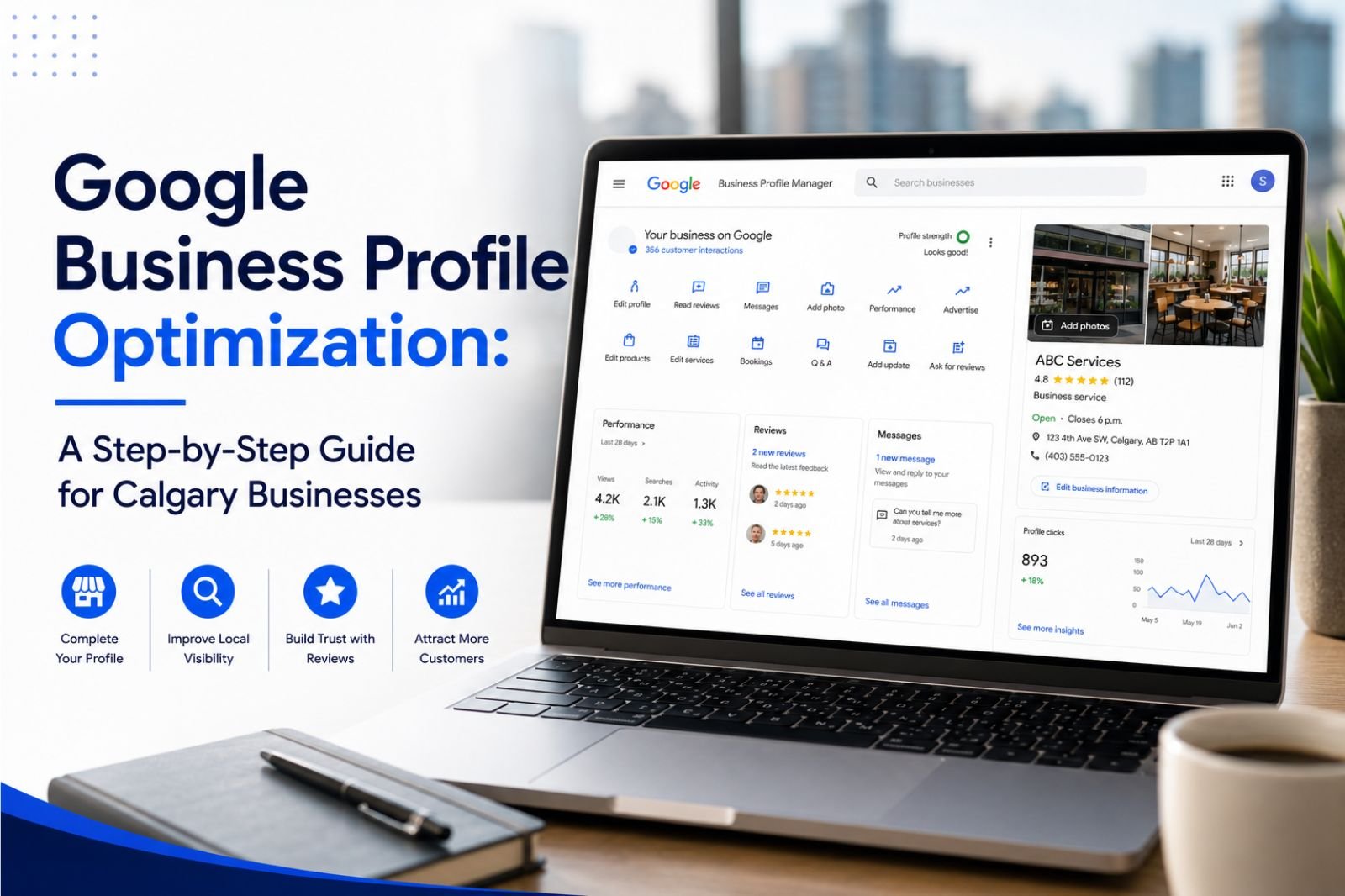
If you run a business in Calgary, your Google Business Profile is doing more selling for you than your website is. When someone in Bridgeland searches “plumber near me” or a family in the southwest looks up “dentist open Saturday,” the first thing they see is not a list of blue links. It is the map, the three businesses sitting in the local pack, and the star ratings next to them. That box is where local buying decisions get made, and getting into it is not luck. It comes down to how well your profile is built and how consistently you keep it active.
The tricky part is that Google Business Profile has changed a lot over the past two years, and most of the advice floating around is out of date. The Q&A section works differently now. Chat and call history are gone. Google’s AI reads your profile and answers customer questions before you ever get a chance to. So the old checklist of “fill in your hours and add a few photos” no longer cuts it in a market as competitive as Calgary.
This guide walks through what actually moves the needle right now, step by step, in the order we tackle it when we optimize profiles for local businesses across the city.
What Google Business Profile optimization actually means?
Google Business Profile optimization is the process of completing, refining, and regularly updating your free Google listing so it ranks higher in local search and Google Maps and turns more of those views into calls, direction requests, and website visits. It is not a one-time setup. Google rewards profiles that stay active, and it quietly demotes ones that go quiet.
Google decides who shows up in the local pack using three main factors: relevance, distance, and prominence. Relevance is how well your profile matches what the person searched. Distance is how close you are to the searcher or the area they named. Prominence is how established and active your business looks, which includes reviews, activity, and signals from around the web. You cannot move your storefront closer to every customer, but you have real control over relevance and prominence, and that is where optimization lives.
One shift worth flagging up front. Through 2026, Google has leaned harder on interaction and popularity signals, meaning the profiles that get clicked, called, and engaged with tend to hold their position better than profiles that simply look complete but sit idle. Activity is the game now.
Step 1: Claim and verify your profile
You cannot optimize what you do not control. Search your business name on Google and Maps to see if a profile already exists. Plenty of Calgary businesses have a listing that Google generated automatically or that a previous owner or agency set up, and they have never actually claimed it.
If you need to verify a new or unclaimed profile, expect video verification. Google now uses it as the default method for most new listings instead of the old postcard. You record a single continuous video that shows your signage or premises, the surrounding area, and proof that you manage the business, such as opening a drawer, using equipment, or logging into a point-of-sale system. Do it in one take with good lighting and you will usually pass the first time. Fumble it and you can get stuck in a review loop for weeks, which is a real problem when you are trying to launch.
If your business runs from a home base or serves customers at their location, like most trades and mobile services in Calgary, set yourself up as a service-area business and hide your street address. You still verify a real address with Google, but customers only see the areas you serve.
Step 2: Get your primary category exactly right
This is the single biggest lever you have, and most business owners get it wrong by being too broad.
Your primary category tells Google what you fundamentally are, and it carries more ranking weight than almost anything else you can edit. The mistake is choosing something general when a specific option exists. A clinic that picks “Dentist” leaves visibility on the table if what it really does is “Cosmetic dentist” or “Pediatric dentist.” A shop listed as “Auto repair shop” competes differently than one correctly set as “Auto body shop” or “Car detailing service.” Choose the narrowest category that is genuinely accurate.
Then add secondary categories for the other real services you offer. A garage door company might have “Garage door supplier” as primary and add “Repair service” secondary. Do not stuff categories that do not apply, because irrelevant ones can confuse Google and hurt you. The rule is simple. Primary is the one thing you most want to rank for. Secondaries cover the rest of what you actually do.
Step 3: Lock down your name, address, and phone number
Your name, address, and phone number, usually called your NAP, needs to be identical everywhere it appears online. That means your profile, your website, your Facebook page, your Yelp listing, and every directory and citation out there should show the exact same formatting. “Suite 280” in one place and “#280” in another, or an old cell number lingering on a directory, sends mixed signals to Google and chips away at the prominence you are trying to build.
Two rules that get people in trouble. First, your business name field should be your real business name, not “Best Calgary Plumber Fast Service.” Keyword stuffing the name violates Google’s guidelines and can get your profile suspended, which is a nightmare to recover from. Second, keep your hours genuinely accurate and set special hours for holidays. A customer who drives to your door on the Heritage Day long weekend because your profile said you were open, only to find you closed, is a customer who leaves a one-star review out of pure frustration.
If your business has moved or rebranded and you are seeing conflicting information across the web, that inconsistency is often the exact reason a profile struggles to rank. We dig into this in our guide on why your business isn’t showing up on Google Maps.
Step 4: Write a description that works for people and for AI
Your business description is a 750-character field, and it now does double duty. It speaks to the human reading your profile, and it feeds the AI that increasingly answers questions on your behalf.
Google offers an AI “suggest a description” tool inside your dashboard. Use it as a starting draft, never as the final version. The generic output it produces reads like every other listing. Rewrite it in plain language, work in what makes you different, and include the Calgary neighbourhoods or communities you serve. If you are a contractor covering the northwest, Airdrie, and Cochrane, say so. Specific and local beats vague and polished every time.
Lead with what you do and who you serve, then get to the details. Skip the marketing fluff and the empty superlatives. A description that plainly states “family-run electrical contractor serving Calgary and the surrounding communities of Airdrie, Chestermere, and Okotoks, specializing in panel upgrades and EV charger installation” gives both a customer and Google’s AI something concrete to work with.
Step 5: Fill out every service and attribute
Here is where the biggest change catches people off guard. The old Q&A section, where customers asked questions and owners answered, has been retired in favour of an AI feature that pulls answers from your profile, your services, your attributes, and your reviews. When someone asks whether you offer emergency service or whether your space is wheelchair accessible, Google’s AI answers instantly using whatever information it can find. If that information is not on your profile, the AI either guesses or says nothing, and both outcomes cost you.
So treat your Services and Attributes sections as the raw material the AI feeds on. List out every individual service with a short, specific description for each. Do not just list “Plumbing.” Break it into drain cleaning, water heater installation, leak repair, and so on. Each one is a chance to match a search.
Attributes are the checkboxes that describe your business: free parking, wheelchair accessible, women-owned, accepts credit cards, offers free estimates, and many others. Google adds new attributes regularly, and industry-specific ones appear as your category unlocks them, so check this section every couple of months. Complete attributes now directly influence whether your profile gets surfaced in AI-driven recommendations, so blank fields are missed opportunities.
Step 6: Photos and video that earn clicks
Profiles with strong, current photography get more engagement, and engagement is what holds your ranking. This is one of the most underused levers in local search.
Upload real photos of your actual work, your team, your storefront or vehicles, and your finished projects. Avoid stock imagery, because customers can smell it and it does nothing to build trust. For a Calgary business, seasonal photos help. Snow-and-ice work in January looks different from a summer patio install, and fresh images signal that your profile is being kept up.
Keep adding photos over time rather than dumping fifty on day one and never touching it again. A profile that quietly gains new images month after month reads as active and cared for. Short videos of a job in progress or a walk-through of your shop add another layer that many competitors skip entirely.
Step 7: Build reviews the right way
Reviews are one of the strongest prominence signals there is, and how you earn them matters more than most people think.
Velocity beats volume. A steady stream of reviews arriving week after week is worth more than a sudden burst of thirty followed by six months of silence. That pattern of one big push then nothing can actually look unnatural. So build a simple, repeatable habit of asking every happy customer, ideally right after the job is done and the good feeling is fresh. A quick text with a direct link to your review form removes the friction. Never buy reviews or post fake ones. Google is good at catching them, and the penalty is not worth it.
Respond to every review, the glowing ones and the critical ones. Responding is itself a signal that you are engaged, and the vast majority of businesses never bother, which means it is a cheap way to stand out. When you reply, be human and specific. Thank people by name where appropriate and reference the actual job. For a negative review, stay calm, take it offline, and show future readers that you handle problems like a professional. People read the owner responses closely, and a measured reply to an unfair review often does more good than the review does harm.
Step 8: Post regularly with Google Posts
Google Posts let you publish updates, offers, and events straight to your profile, and they show up in your listing on Search and Maps.
Be clear on what they do. Posts are not a direct ranking factor. They will not by themselves push you up the pack. What they do is drive engagement and clicks, and they give a potential customer a reason to choose you over the business beside you. Treat them as conversion tools. Announce a seasonal promotion, a new service, a completed project, or a limited-time offer. A furnace company running a fall tune-up special or a landscaper promoting spring cleanups is giving Calgary customers a timely nudge at exactly the right moment.
Aim for something new roughly once a week. Consistency here also feeds the freshness signal, which brings us to the step people forget.
Step 9: Turn on bookings and actions
Google increasingly favours profiles that let customers act without leaving the search results. If your business type supports it, connect a booking or appointment system so people can schedule directly from your profile. Google integrates with a range of scheduling platforms, and a booking button lowers the barrier between “interested” and “booked.”
For businesses that run on phone calls, make sure your call button points to a number you actually answer during your posted hours. It sounds obvious, but a missed call is a lost lead, and Google notices how you convert the intent it sends you.
Step 10: Keep it fresh and read your insights
Optimization is not something you finish. A profile that goes quiet for a month or more starts to look stale, and stale profiles slide. Google does not publish a hard rule on this, but the pattern is consistent enough that treating your profile like a garden rather than a filing cabinet is the safe approach. Add a photo, publish a post, update a service, respond to reviews. Small regular touches keep you looking active.
Then actually read your Performance insights, because they tell you what is working. The reporting now splits your impressions by where they came from: the classic local panel, the Maps AI summary card, and Google’s AI Overviews in the main search results. That breakdown shows how much of your visibility is coming from AI-driven surfaces, which is a growing share and worth watching.
Look past raw view counts to the actions. Calls signal someone ready to book. Direction requests signal intent to visit. Website clicks signal research. A profile with fewer views but a high action rate is outperforming one with big view numbers and little follow-through. Track the ratio, not the vanity number.
Common mistakes we see Calgary businesses make
A few patterns come up again and again when we audit local profiles.
Choosing a category that is too broad, and leaving specific ones on the table. Letting NAP information drift out of sync across the web after a move or a phone change. Setting up the profile once and never posting, never adding photos, never responding to reviews. Stuffing keywords into the business name and risking suspension. Ignoring the Services and Attributes sections, which now feed the AI answering customer questions. And forgetting holiday hours, which turns a small oversight into a bad review.
Every one of these is fixable, and fixing them is usually the fastest visibility win available to a local business.
How long does Google Business Profile optimization take to work?
Some changes register quickly. A corrected category or a fixed NAP can start shifting things within a couple of weeks. Prominence signals like review velocity and consistent activity build over months, not days. Most Calgary businesses that commit to steady, ongoing profile management see meaningful movement in the local pack within a few months, with results compounding the longer they stay consistent. The businesses that treat it as a one-time task rarely hold whatever gains they get.
Where this fits in your bigger local strategy?
A well-run Google Business Profile is the foundation of local visibility, but it works best alongside a strong website, consistent local citations, and content that reinforces what you do and where you do it. If your site is thin or your business information is scattered across the web, even a perfect profile will struggle to reach its ceiling. The two support each other, which is why local SEO treats them as one system rather than separate tasks. If you want to see how the pieces connect, our local SEO and search work covers the full picture.
Optimizing a profile once is straightforward. Keeping it optimized, week after week, while running your actual business, is where most owners run out of time. That ongoing work is exactly what our Google Business Profile management service handles.
If you would like a straight answer on where your profile stands today and what is holding it back, get in touch with our ClickSync. We will take a look and tell you plainly what to fix first.
Frequently asked questions
How much does it cost to optimize a Google Business Profile?
The profile itself is free to create and manage. Optimization costs come down to whether you do the ongoing work yourself or bring in help. The listing, the verification, and every feature covered in this guide carry no fee from Google.
Is Google Business Profile the same as Google My Business?
Yes. Google My Business was the old name. Google rebranded it to Google Business Profile and moved most management directly into Google Search and Maps, so you often edit your profile straight from search results rather than a separate dashboard.
How often should I update my Google Business Profile?
Check reviews and questions weekly, publish a post about once a week, and add fresh photos regularly. Review your core information, hours, and services monthly. A profile that goes more than a month without any activity starts to look stale and can lose ground.
Why is my Calgary business not showing up in the map pack?
The most common causes are a category that is too broad, inconsistent name, address, and phone details across the web, too few recent reviews, and a profile that has gone inactive. Distance from the searcher also plays a role, which is why relevance and prominence matter so much for reaching people across a large city.
Do Google Posts help my ranking?
Not directly. Posts drive engagement and give customers a reason to choose you, which supports your overall activity and conversions, but they are not a standalone ranking factor. Treat them as conversion tools rather than a shortcut to a higher position.
What happened to the Q&A section on my profile?
Google retired the manual Q&A feature in favour of an AI-driven system that answers customer questions automatically using your profile, services, attributes, and reviews. The best way to control those answers now is to make sure all of that information is complete and accurate.